

星期六终于有时间折腾了,下午花了2个多小时对茶馆做了一些改动,相信细心的客官们能发现不少了.
PS:突然发现没怎么用过TONY的焦点图,作为一个TONY大神的绝对支持者,这是个很严重的失误啊~
下面具体的说一下:
1.添加cache avatar插件.由于介绍了gravatar头像的使用,茶馆的头不再是一味的蓝底加白圈了,取而代之的是各色各样的头像.不过由于每个头像都是保存在gravatar的网站上,所以每次打开都要链接N多次gravatar的网站,以至于拖慢了网站打开速度.所以添加cache avatar插件将头像缓存到服务器上这样快多了.实际上也确实快了不少.
2.添加Comment Info Detector插件.这个其实早就想添加了,但之前怕图片显示次数太多费流量,但现在就不怕了.插件可以显示国家,浏览器和操作系统.但处于隐私考虑,国家就不显示了.(其实另俩个也是隐私的说= =)
3.停用Custom Smilies插件.直接上代码,不用插件了.
4.停用WP-MulticolLinks插件.抉择的很长时间,还是觉得不在主页放置友情链接了.所有的友情链接都请到友情链接页面观看~现在主题是真正的”0″个小工具了呢.
5.添加本月最耀眼的客人.
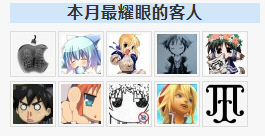
这是个很好玩的东西呢,是在zwwooooo的用代码武装你的wordpress [part 1]那里看到的.这篇文章确实帮了不少忙,表情那个代码也是从那里学到的.
6.给RF,115的下载链接添加了小图标
这个是在[木木木木木]的为不同类型的附件添加个性图标学到的.话说今天发现了好多喜欢折腾的牛人博客,学到了好多知识呢~
7.更新了友情链接页面,去掉了一些N久没有更新联系的博客,这里就不具体说了.
8.压缩了banner图片,从70多K压到了30K,这里推荐一个叫JPEG Optimize的软件,压缩JPG图片挺方便的.去掉了footer的logo图,那个做的比较难看而且还影响速度,直接拿掉~顺手把几个无用的函数去掉,改成手动输入…
暂时就这么多了吧,本来还想改一些东西的,但耐不住游戏的诱惑,和同寝的人DOTA去了.然后就一直补看钢炼FA来着,看过原钢炼的人推荐从第15集开始看起,前面基本与前作相同.话说看MKV的动画就是爽呢,画面质量真不是盖的啊~所以其他的调整只好等到下次再说了= =
以上~
–掌柜的书于09年11月07日
Opera/9.5 (Microsoft Windows; PPC; Opera Mobi/15445; U; zh-cn)
支持支持,我也来测试一下。
Mozilla/5.0 (Windows; U; Windows NT 5.1; zh-CN; rv:1.9.1.5) Gecko/20091102 Firefox/3.5.5
额。。。杯具了。。。
Mozilla/4.0 (compatible; MSIE 6.0; Windows NT 5.1; SV1; QQDownload 1.7; .NET CLR 2.0.50727; .NET CLR 3.0.04506.30; .NET CLR 3.0.4506.2152; .NET CLR 3.5.30729; MAXTHON 2.0)
好吧 我承认我还在用XP 7处于无限期冻结状态
话说我也是TONY党 也收集过大部分图(应该)
但是为何掌柜的这张我就没有呢.. 残念
Mozilla/4.0 (compatible; MSIE 6.0; Windows NT 5.1; SV1; QQDownload 1.7; .NET CLR 2.0.50727; .NET CLR 3.0.04506.30; .NET CLR 3.0.4506.2152; .NET CLR 3.5.30729; MAXTHON 2.0)
无论是IE还是系统 我的都是最落后的呃~~
能用就行 能用就行…
Mozilla/5.0 (Windows NT 6.1; WOW64; rv:28.0) Gecko/20100101 Firefox/28.0
Full of salient points. Don’t stop beviileng or writing!
Mozilla/5.0 (Windows; U; Windows NT 6.1; zh-CN; rv:1.9.1.4) Gecko/20091016 Firefox/3.5.4
@lain_g
看来又是一个手机用户了…
@路人甲
用IE6的路人兄,系统无所谓,IE6不支持的东西比较多,还是换个好点的吧…
Mozilla/5.0 (Windows; U; Windows NT 5.1; zh-CN; rv:1.9.1.5) Gecko/20091102 Firefox/3.5.5
@李掌柜
哈哈,至少比那个PPC的兄弟好一点,至少显示出了浏览器。。。
Mozilla/4.0 (compatible; MSIE 8.0; Windows NT 5.1; Trident/4.0; Mozilla/4.0 (compatible; MSIE 6.0; Windows NT 5.1; SV1) ; .NET CLR 2.0.50727; .NET CLR 3.0.4506.2152; .NET CLR 3.5.30729; Alexa Toolbar)
我也该想想是不是也加个每月最多评论了 😐
Mozilla/5.0 (Windows NT 6.1; WOW64; rv:28.0) Gecko/20100101 Firefox/28.0
I’m not quite sure how to say this; you made it extermely easy for me!
Mozilla/4.0 (compatible; MSIE 6.0; Windows NT 5.1; SV1; Mozilla/4.0(Compatible Mozilla/4.0(Compatible-XDeskShow)EmbeddedWB- 14.59 from: http://bsalsa.com/ ; .NET CLR 2.0.50727; MAXTHON 2.0)
试试认的出不
Mozilla/4.0 (compatible; MSIE 6.0; Windows NT 5.1; SV1; Mozilla/4.0(Compatible Mozilla/4.0(Compatible-XDeskShow)EmbeddedWB- 14.59 from: http://bsalsa.com/ ; .NET CLR 2.0.50727; MAXTHON 2.0)
额 我是遨游啊 虽然也是基于IE6的。。不过在比特客栈可以认出是遨游。。
Opera/9.80 (Windows NT 6.0; U; zh-cn) Presto/2.2.15 Version/10.01
这里的评论是越来越多了啊~~祝贺掌柜的了 😳 ~~~
图上的我是第一排~现在我都落到最后去了 😥 ~~
Mozilla/5.0 (X11; U; Linux i686; en-US) AppleWebKit/532.4 (KHTML, like Gecko) Chrome/4.0.237.0 Safari/532.4
留个抓印~~看看能不能认出Ubuntu
Mozilla/5.0 (Windows; U; Windows NT 6.1; zh-CN; rv:1.9.1.4) Gecko/20091016 Firefox/3.5.4
@ZeroDream
以前的主题不是有吗?加一个吧 😆
@你并不是单数
这个插件只是刚安装的,还没有进一步研究,所以BUG会有不少…
@livelazily
果然是BUG不少啊,Ubuntu变成Linux了= =
Mozilla/4.0 (compatible; MSIE 7.0; Windows NT 5.1; GTB6; Alexa Toolbar; CIBA; .NET CLR 2.0.50727; 360SE)
试用一下cache avatar~
表情插件不用了?
怎样直接代码阿??
Mozilla/5.0 (Windows; U; Windows NT 6.1; zh-CN; rv:1.9.1.4) Gecko/20091016 Firefox/3.5.4
@Lc.
恩,如何实现上面文章里已经给出相应的链接了..
Mozilla/5.0 (Windows; U; Windows NT 6.1; zh-CN; rv:1.9.1.5) Gecko/20091102 Firefox/3.5.5
FIRE 3.5.5 WIN 7
我只是路过~~
Mozilla/5.0 (Windows; U; Windows NT 6.1; zh-CN; rv:1.9.1.5) Gecko/20091102 Firefox/3.5.5
@路人甲
谢谢提醒,我也更新了~
Opera/9.80 (Windows NT 5.1; U; zh-cn) Presto/2.2.15 Version/10.10
最近的应该没有密码了吧.. ➡
Mozilla/5.0 (Windows; U; Windows NT 6.1; zh-CN; rv:1.9.1.5) Gecko/20091102 Firefox/3.5.5
@九江
恩,所以加密文章全部取消密码了~
Opera/9.80 (Windows NT 5.1; U; zh-cn) Presto/2.2.15 Version/10.10
@李掌柜
在啊,对于加密的东西实在没办法,下载的时候一般都不看除了下载链接以外的东西(预览除外,不希望下载40多G的葫芦娃),下载完的时候才发现需要密码。然后网页链接已经被关掉了.只好杯具的删掉.
Mozilla/5.0 (Windows; U; Windows NT 6.1; zh-CN; rv:1.9.1.5) Gecko/20091102 Firefox/3.5.5
@九江
呵呵,所以我在茶馆发的东西压缩包从来不加密的,只是文章外面加密了..
>”<||这么久没来这,改动还真多。嘻嘻