
 由于最近问这个的人比较多,而且为了让茶馆的客官们能拥有个性的头像,特写此文以帮助大家使用Gravatar头像~
首先登陆Gravatar
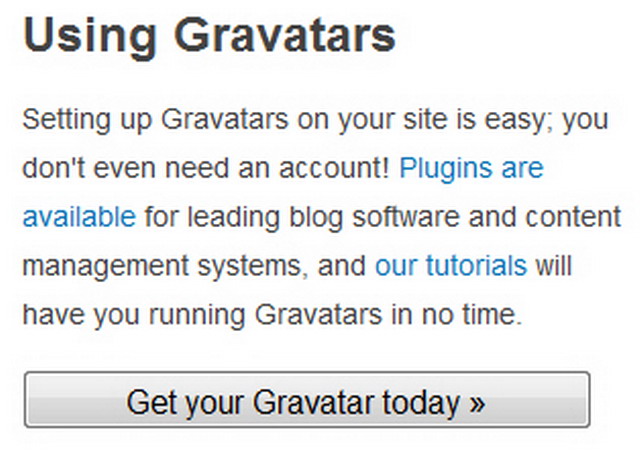 点击Get your Gravatar today

然后输入注册邮箱,注意这里的邮箱要和留言时所填写邮箱一致~
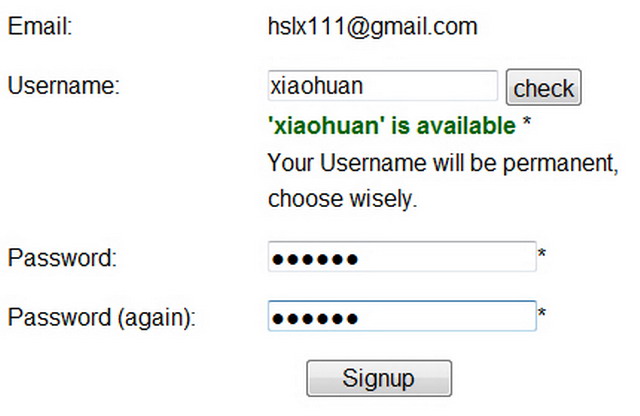
然后gravatar会向你所写邮箱中发送一封验证信,收到点击确认链接之后,跳转到注册界面,名字只能用英文字母,中文不可以.
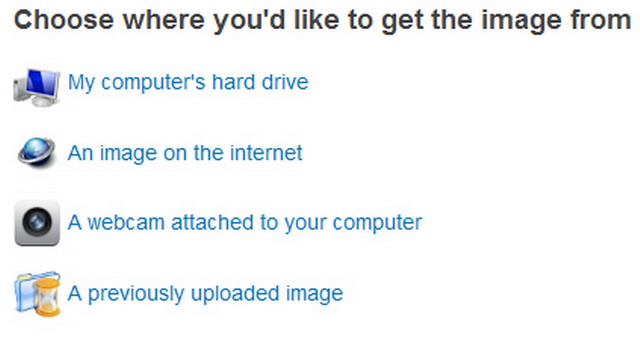
注册成功后,点击Add a new image,然后跳转到选择页面,你可以从电脑上传或者直接引用网上的图片链接.
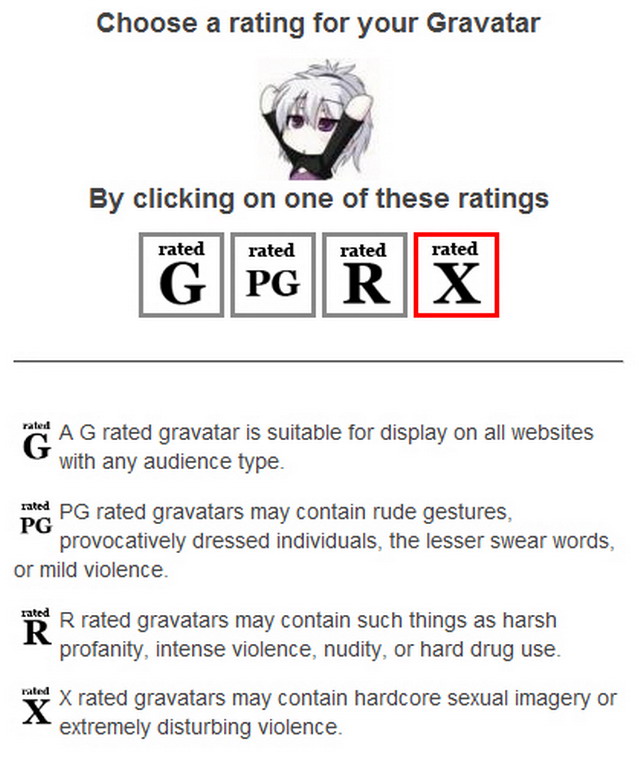
传完图片之后,会让你选择图片的等级,一般选”G”就可以了~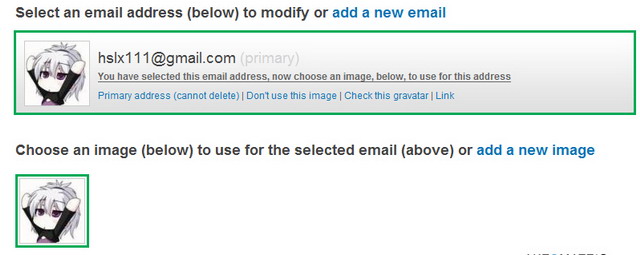
然后就能看到你的头像已经改变了,实在不放心可以上网站上留言测试一下~
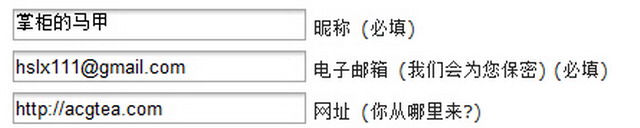 填写你注册时所用邮箱
最终效果图~
好了,希望没有个性头像的各位客官在看完本文之后都能试一试~O(∩_∩)O
毕竟总和别人用一样的头像很不好分辨,不是吗?
Mozilla/4.0 (compatible; MSIE 8.0; Windows NT 6.1; Trident/4.0; chromeframe; Embedded Web Browser from: http://bsalsa.com/; SLCC2; .NET CLR 2.0.50727; .NET CLR 3.5.30729; .NET CLR 3.0.30729; Media Center PC 6.0; Tablet PC 2.0; 360SE)
呃。test
Mozilla/4.0 (compatible; MSIE 8.0; Windows NT 5.1; Trident/4.0; GTB6.5)
测试
Mozilla/5.0 (Windows; U; Windows NT 6.1; zh-CN; rv:1.9.2.7) Gecko/20100713 Firefox/3.6.7
@攻小受
呃,这位客官的名字很有特点嘛
Mozilla/4.0 (compatible; MSIE 8.0; Windows NT 5.1; Trident/4.0)
哈喽~掌柜。测试一下。。
Mozilla/4.0 (compatible; MSIE 6.0; Windows NT 5.1; SV1; .NET CLR 2.0.50727)
我也测试一下?不算挖坟吧?
Mozilla/5.0 (Windows; U; Windows NT 6.1; zh-CN; rv:1.9.2.8) Gecko/20100722 Firefox/3.6.8
@两仪末那
不算的 🙂
Mozilla/4.0 (compatible; MSIE 6.0; Windows NT 5.1; SV1; Mozilla/4.0 (compatible; MSIE 6.0; Windows NT 5.1; SV1) ; 360SE)
测试
Mozilla/4.0 (compatible; MSIE 6.0; Windows NT 5.1; SV1; Mozilla/4.0 (compatible; MSIE 6.0; Windows NT 5.1; SV1) ; 360SE)
怎么没变……
再测……
Mozilla/4.0 (compatible; MSIE 8.0; Windows NT 6.1; WOW64; Trident/4.0; GTB6.5; SLCC2; .NET CLR 2.0.50727; .NET CLR 3.5.30729; .NET CLR 3.0.30729; MAAU)
测试下
Mozilla/4.0 (compatible; MSIE 7.0; Windows NT 5.1; SE 2.X; Embedded Web Browser from: http://bsalsa.com/; .NET CLR 1.1.4322; .NET CLR 2.0.50727; .NET CLR 3.0.4506.2152; .NET CLR 3.5.30729; SE 2.X)
测试测试~~~
Mozilla/4.0 (compatible; MSIE 6.0; Windows NT 5.1; SV1)
为啥呀? = =
Mozilla/5.0 (Windows; U; Windows NT 6.1; zh-CN; rv:1.9.2.8) Gecko/20100722 Firefox/3.6.8
@Ghost
本站重新启用头像缓存,所以新头像需要一段时间才能显示
Mozilla/5.0 (Windows; U; Windows NT 6.1; en-US) AppleWebKit/533.4 (KHTML, like Gecko) Chrome/5.0.375.126 Safari/533.4 ChromePlus/1.4.1.0
用ie6的童鞋好多。。。
Mozilla/5.0 (Windows; U; Windows NT 6.0; zh-CN; rv:1.9.2.8) Gecko/20100722 Firefox/3.6.8 ( .NET CLR 3.5.30729)
试试头像
Mozilla/4.0 (compatible; MSIE 8.0; Windows NT 6.1; Trident/4.0; Embedded Web Browser from: http://bsalsa.com/; SLCC2; .NET CLR 2.0.50727; .NET CLR 3.5.30729; .NET CLR 3.0.30729; Media Center PC 6.0; Tablet PC 2.0)
测试头像 =w=
Mozilla/4.0 (compatible; MSIE 8.0; Windows NT 6.1; Trident/4.0; Embedded Web Browser from: http://bsalsa.com/; SLCC2; .NET CLR 2.0.50727; .NET CLR 3.5.30729; .NET CLR 3.0.30729; Media Center PC 6.0; Tablet PC 2.0)
显示延迟么 – –
Mozilla/5.0 (Windows; U; Windows NT 6.1; en-US) AppleWebKit/533.4 (KHTML, like Gecko) Chrome/5.0.375.127 Safari/533.4
@an爲什麽
不是延迟,是头像设置了缓存.可以先看侧边栏那里的小头像
Mozilla/4.0 (compatible; MSIE 8.0; Windows NT 5.1; Trident/4.0; QQDownload 661)
来 一天慢慢等!!…
Opera/9.80 (Windows NT 6.0; U; Edition IBIS; zh-cn) Presto/2.6.35 Version/10.70
..哦哦 试一下
Opera/9.80 (Windows NT 6.0; U; Edition IBIS; zh-cn) Presto/2.6.35 Version/10.70
呃..为啥好像没变..
Mozilla/4.0 (compatible; MSIE 6.0; Windows NT 5.1; SV1; 4399Box.357; 360SE)
试————
Mozilla/4.0 (compatible; MSIE 6.0; Windows NT 5.1; SV1; 4399Box.357; 360SE)
= = 怎么好像没有 再一次 试————
Mozilla/4.0 (compatible; MSIE 7.0; Windows NT 5.1; TencentTraveler 4.0; Mozilla/4.0 (compatible; MSIE 6.0; Windows NT 5.1; SV1) ; .NET CLR 2.0.50727; .NET CLR 3.0.4506.2152; .NET CLR 3.5.30729)
咱来试试~
Opera/9.80 (Windows NT 6.1; U; zh-cn) Presto/2.6.35 Version/10.70
试试~~
Mozilla/4.0 (compatible; MSIE 6.0; Windows NT 5.1; SV1)
头像感觉很麻烦。嘛~_~主要是我没有最最最最最最最称心的头像
Mozilla/5.0 (Windows; U; Windows NT 5.1; en-US; rv:1.9.1.13) Gecko/20100914 Firefox/3.5.13 GTB7.1 (.NET CLR 3.5.30729)
我也换上了 试试看~
Mozilla/4.0 (compatible; MSIE 6.0; Windows NT 5.1; SV1; .NET CLR 2.0.50727; 360SE)
我来测试一下~
准备长期来喝茶了~
Mozilla/4.0 (compatible; MSIE 6.0; Windows NT 5.1; SV1; .NET CLR 2.0.50727; Media Center PC 6.0)
我来测试一下~
Mozilla/4.0 (compatible; MSIE 8.0; Windows NT 6.1; WOW64; Trident/4.0; QQDownload 663; Mozilla/4.0 (compatible; MSIE 6.0; Windows NT 5.1; SV1) ; SLCC2; .NET CLR 2.0.50727; .NET CLR 3.5.30729; .NET CLR 3.0.30729; Media Center PC 6.0)
我来测试下
Mozilla/4.0 (compatible; MSIE 7.0; Windows NT 5.1; .NET CLR 2.0.50727; Creative ZENcast v2.00.13; Maxthon 2.0)
来试试看